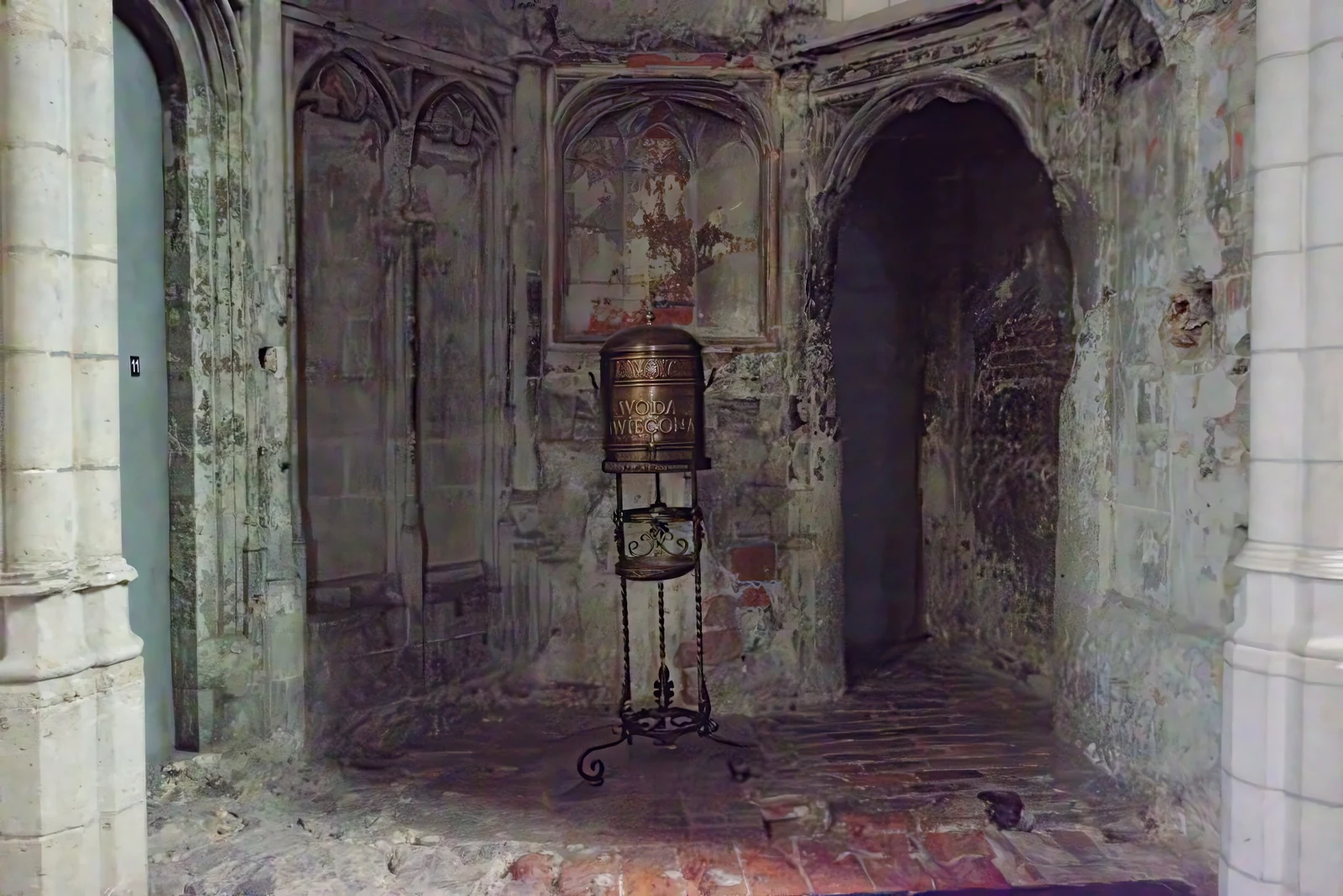
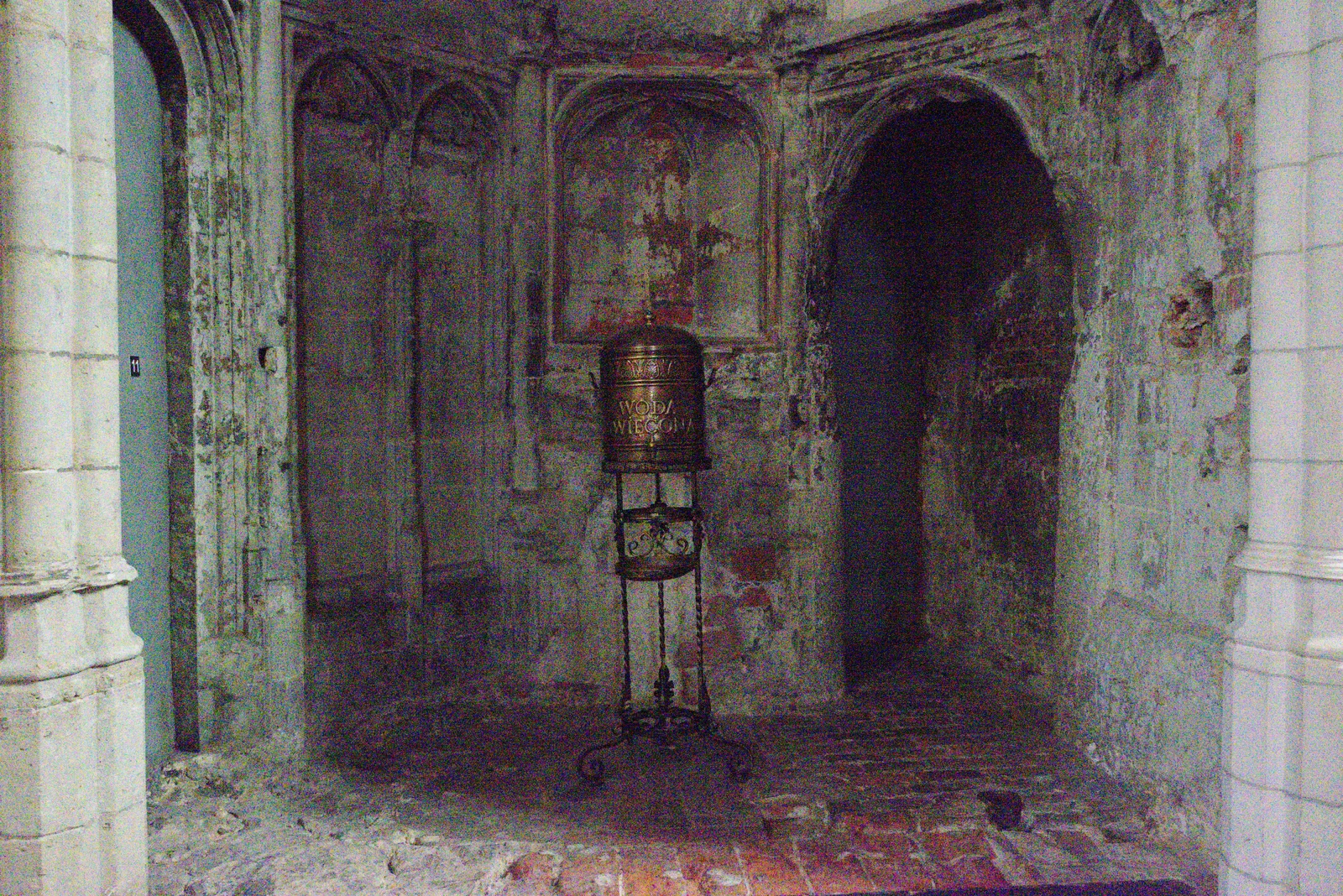
Topaz Labs

Topaz Image Denoise

Normal, Strong, and Extreme trade progressively stronger noise removal against preservation of original detail. Normal suits low-to-medium noise, Strong targets difficult low-light or high-ISO sources, and Extreme prioritizes cleanup when noise or compression is severe. Max adds generative reconstruction, so its result should be checked for newly inferred texture rather than treated as a strictly literal restoration.

How to use this model

  1. 1

    View the image at 100% and distinguish sensor noise, color speckle, grain, compression blocks, and blur.

  2. 2

    Start with Normal, move to Strong for heavier noise, and use Extreme only when cleanup matters more than fine detail.

  3. 3

    Use Max when conventional denoising cannot recover a useful image and generative reconstruction is acceptable.

  4. 4

    Balance denoise strength with original-detail and minor-deblur controls where the selected model provides them.

  5. 5

    Inspect skin, hair, fabric, foliage, and flat gradients for waxy texture, color blotches, or invented detail.

ExtremeAvailable

Extreme

Denoise Extreme prioritizes removal of severe noise, grain, and compression artifacts even when some original texture is lost. It is appropriate for heavily degraded web images or extreme capture conditions, not as a default for ordinary photographs.

Properties

  • Prioritizes aggressive cleanup over fine-detail retention.
  • Intended for severe noise and heavy compression.

Best for

  • Removes extreme noise and strong compression artifacts
  • Best suited for severely degraded or internet-sourced images
  • Use for non-RAW images with severe noise or heavy compression

Tips

  • Extreme denoise cleanup

How to use this model

  1. 1

    Use Extreme only when Normal and Strong cannot make the source usable.

  2. 2

    Start below maximum strength and increase while essential structure remains intact.

  3. 3

    Return original detail cautiously; it may also restore unwanted noise.

  4. 4

    Check faces, text, edges, and fine patterns for smearing or false texture.

Parameters

Face Enhancement

Optional

Leverages face recovery model to enhance faces.

Face Enhancement Strength

Optional

Sets the strength of the face recovery. Required if face_enhancement=true.

Face Enhancement Creativity

Optional

Choose realistic or creative face recovery. Required if face_enhancement=true.

Subject Detection

Optional

Sets the subject detection mode.

  • foreground

  • background

  • all

Strength

Optional

Reduces noise in the image. Too high can remove detail and slightly blur the image.

Minor Deblur

Optional

Slightly sharpens the image. Counteracts softness caused by noise reduction.

Original Detail

Optional

Returns texture and fine details lost during noise reduction.

Denoise Strength

Optional

Sets the strength of the denoise. Defaults to 0.5 if omitted.

Sharpen Strength

Optional

Sets the strength of the sharpening. Defaults to 0.5 if omitted.

Opacity

Optional

Adjusts opacity strength. Defaults to 1.0 if omitted.

Output Format

Optional

The desired format of the output image.

  • jpg

  • png

  • tif

Image

Required

Source image

MaxAvailable

Max

Denoise Max combines strong cleanup with generative reconstruction of detail and blurry regions. It can produce a more usable result than conventional denoising on difficult sources, but newly inferred texture may not be literal to the original scene.

Properties

  • Generative denoising and detail reconstruction.
  • May infer texture not explicitly visible in the source.

Best for

  • Best-in-class denoising with reduced artifacts and natural results
  • Intelligently sharpens blurry areas while leaving already-sharp areas untouched
  • Works well on portraits, hazy images, and fine textures

Tips

  • Generative Denoise Max cleanup

How to use this model

  1. 1

    Reserve Max for sources where conventional denoising cannot recover a useful result.

  2. 2

    Use the least-compressed source to give reconstruction the best context.

  3. 3

    Compare the output with Normal or Strong before accepting inferred detail.

  4. 4

    Inspect identity, text, skin, hair, fabric, and repeating patterns for invention.

Parameters

Face Enhancement

Optional

Leverages face recovery model to enhance faces.

Face Enhancement Strength

Optional

Sets the strength of the face recovery. Required if face_enhancement=true.

Face Enhancement Creativity

Optional

Choose realistic or creative face recovery. Required if face_enhancement=true.

Subject Detection

Optional

Sets the subject detection mode.

  • foreground

  • background

  • all

Strength

Optional

Controls Denoise Max strength.

Minor Deblur

Optional

Slightly sharpens the image. Counteracts softness caused by noise reduction.

Original Detail

Optional

Returns texture and fine details lost during noise reduction.

Denoise Strength

Optional

Sets the strength of the denoise. Defaults to 0.5 if omitted.

Sharpen Strength

Optional

Sets the strength of the sharpening. Defaults to 0.5 if omitted.

Opacity

Optional

Adjusts opacity strength. Defaults to 1.0 if omitted.

Output Format

Optional

The desired format of the output image.

  • jpg

  • png

  • tif

Image

Required

Source image

NormalAvailable

Normal

Denoise Normal is the starting point for smartphone and camera images with moderate low-light noise or compression. It favors preservation over maximum cleanup and provides controls for strength, minor deblur, and returning original detail.

Properties

  • Best suited to low-to-medium noise and compression artifacts.
  • Prioritizes detail preservation over aggressive cleanup.

Best for

  • Removes common low-light and compression noise
  • Preserves fine detail and natural texture
  • Recommended starting point for non-RAW image denoising

Tips

  • Everyday image denoising

How to use this model

  1. 1

    Start with Normal when noise is visible but fine detail remains readable.

  2. 2

    Increase strength only until chroma speckle and grain stop distracting.

  3. 3

    Use minor deblur sparingly and restore original detail gradually.

  4. 4

    Check skin, hair, foliage, and gradients for smoothing or blotches.

Parameters

Face Enhancement

Optional

Leverages face recovery model to enhance faces.

Face Enhancement Strength

Optional

Sets the strength of the face recovery. Required if face_enhancement=true.

Face Enhancement Creativity

Optional

Choose realistic or creative face recovery. Required if face_enhancement=true.

Subject Detection

Optional

Sets the subject detection mode.

  • foreground

  • background

  • all

Strength

Optional

Reduces noise in the image. Too high can remove detail and slightly blur the image.

Minor Deblur

Optional

Slightly sharpens the image. Counteracts softness caused by noise reduction.

Original Detail

Optional

Returns texture and fine details lost during noise reduction.

Denoise Strength

Optional

Sets the strength of the denoise. Defaults to 0.5 if omitted.

Sharpen Strength

Optional

Sets the strength of the sharpening. Defaults to 0.5 if omitted.

Opacity

Optional

Adjusts opacity strength. Defaults to 1.0 if omitted.

Output Format

Optional

The desired format of the output image.

  • jpg

  • png

  • tif

Image

Required

Source image

StrongAvailable

Strong

Denoise Strong targets medium-to-high noise that remains objectionable after a balanced pass. It removes more noise than Normal while providing original-detail and minor-deblur controls to counter excessive softness.

Properties

  • Targets medium-to-high noise from difficult capture conditions.
  • Stronger cleanup than Normal with detail-recovery controls.

Best for

  • Designed for images shot in very low light
  • Retains more detail than Extreme while reducing heavy noise
  • Use when Normal does not sufficiently clean the image

Tips

  • Strong non-RAW denoising

How to use this model

  1. 1

    Choose Strong only after Normal leaves distracting noise.

  2. 2

    Raise denoise strength gradually while watching real edge detail.

  3. 3

    Balance original detail and minor deblur instead of compensating with later heavy sharpening.

  4. 4

    Inspect faces, fabric, hair, and dark gradients for waxiness or banding.

Parameters

Face Enhancement

Optional

Leverages face recovery model to enhance faces.

Face Enhancement Strength

Optional

Sets the strength of the face recovery. Required if face_enhancement=true.

Face Enhancement Creativity

Optional

Choose realistic or creative face recovery. Required if face_enhancement=true.

Subject Detection

Optional

Sets the subject detection mode.

  • foreground

  • background

  • all

Strength

Optional

Reduces noise in the image. Too high can remove detail and slightly blur the image.

Minor Deblur

Optional

Slightly sharpens the image. Counteracts softness caused by noise reduction.

Original Detail

Optional

Returns texture and fine details lost during noise reduction.

Denoise Strength

Optional

Sets the strength of the denoise. Defaults to 0.5 if omitted.

Sharpen Strength

Optional

Sets the strength of the sharpening. Defaults to 0.5 if omitted.

Opacity

Optional

Adjusts opacity strength. Defaults to 1.0 if omitted.

Output Format

Optional

The desired format of the output image.

  • jpg

  • png

  • tif

Image

Required

Source image